

See CatchClicker PRO in Action
Watch how Steve Ringer use it on the bank
What is CatchClicker PRO
-

CatchClicker PRO Device Features
Get CatchClicker PROEverything you need to track performance — right on your device.
Stay in control, track every cast, and fish with confidence.- Track every cast — catch, miss, or no bite
- Control your fishing rhythm with built-in stopwatch
- See your last 30 casts directly on the screen
- Works independently or connects via Bluetooth
-

Connected to the CatchClicker App
View the CatchClicker AppUnlock live data, deeper insights, and team performance — all in real time.
- Live session tracking
- Team data sharing
- Session history & analytics
- Automatic device sync


Built for Match Fishing Conditions
-

Water-Resistant (IP65)
Handles rain and splashes — no worries on the bank.
-

All-Day Battery
Runs on standard AAA batteries — no charging needed.
-

Secure Mounting
Attaches firmly to your seatbox with the Super Clamp.
-

Simple Tactile Buttons
Easy to press — even with wet or dirty hands.


Get Started with CatchClicker PRO
Start tracking your sessions, see your data live, and improve every decision.

"Cast-Click-Repeat"
It’s extremely simple — everything is recorded with one action after each cast.
After each cast:
- Click Counter 1, Counter 2, or Try to record the result of the previous cast
- Counter 1: landed fish
- Counter 2: missed bait
- Try: no indication
As a result:
- The corresponding counter value increases on the LCD
- The stopwatch resets automatically
- The result is added to the progress bar (last 30 casts)
- If connected, the data is sent instantly to your smartphone
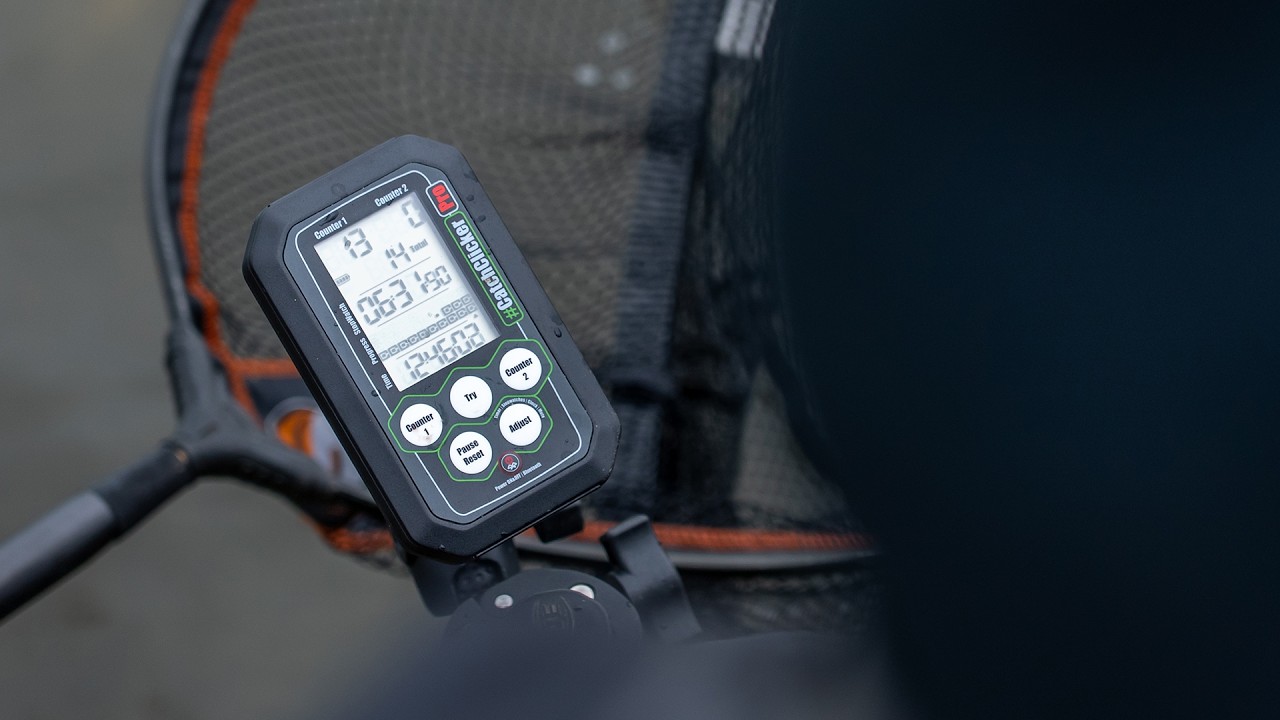
CatchClicker PRO Screen Explained
-

Number Statistics
- Counter 1 value
- Counter 2 value
- Number of Total Casts
-

Stopwatch / Timer
- Stopwatch resets automatically after each click
- Toggle between Stopwatch and Timer modes
-

Progress Bar
Shows the last 30 casts in sequence
- ■ = Counter 1
- □ = Counter 2
- • = Try
-

Time
- 24-hour time display
- Automatically synchronized from the app when connected


CatchClicker App
CatchClicker App connects directly with your CatchClicker PRO to turn every click into live fishing data on your smartphone. Track individual sessions, view real-time performance stats, and collaborate with your team during competitions — all saved automatically with notes and photos.